Sealless Pumps for a Safer and Greener World

Buying a TTlock Smart Lock for an international project involves more than comparing prices and touchscreen designs. Global buyers must evaluate door compatibility, connectivity, software support, installation quality, and long-term maintenance. A lock that works perfectly in one apartment may fail on a metal security door elsewhere. Small differences matter.
This guide presents seven practical buying tips based on real purchasing concerns. It examines mortise dimensions, cylinder types, gateway requirements, user management, battery warnings, and access methods. It also considers local communication standards, privacy expectations, fire-safety rules, and professional installation. Requirements can vary by country and building type, so buyers should confirm details with qualified local installers and relevant authorities. Do not rely only on a supplier’s product page. Ask for specifications, test reports, warranty terms, firmware information, and replacement-part availability. A clear answer is valuable.
The mobile app deserves careful attention. A smooth demonstration does not always reflect daily use with weak signals, multiple users, or changing administrators. Some features may require an additional gateway, which can affect the total project cost. That point is easy to miss. Battery life also depends on traffic, temperature, and lock alignment. An incorrectly fitted door can drain batteries quickly. Buyers should test the door by hand before installation and keep a secure backup entry method. No smart lock is maintenance-free. This article helps readers compare options calmly, identify hidden weaknesses, and choose a TTlock Smart Lock that fits real doors, real users, and real operating conditions.
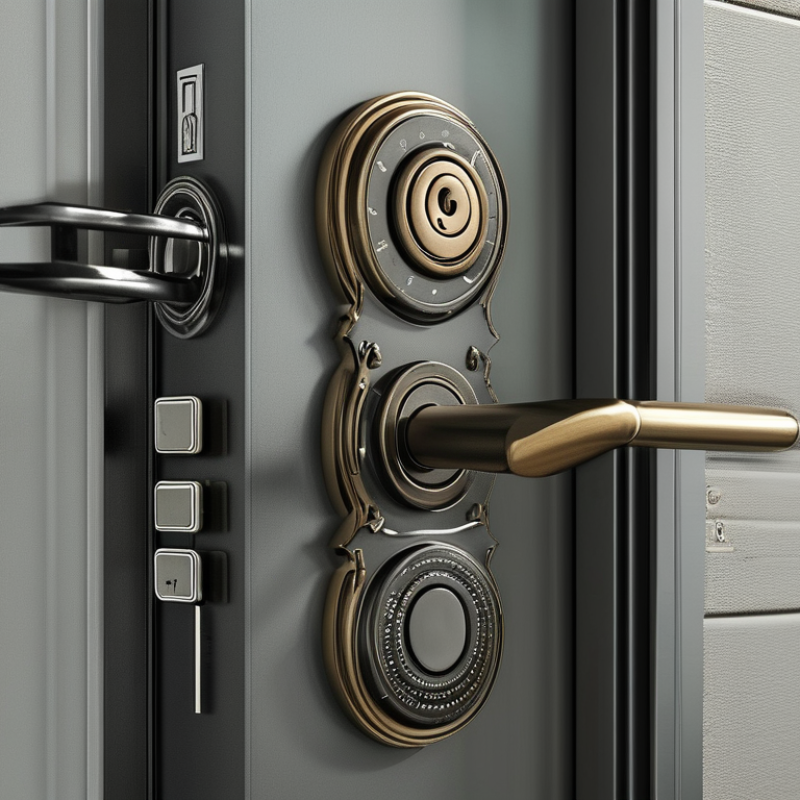
Clarify Access Needs and Choose the Right Smart-Lock Model
The right model starts with people, doors, and daily routines. A family may need fingerprint entry and temporary codes for guests. A rental operator may need remote code control, audit records, and automatic expiry. An office usually needs user groups, entry schedules, and stronger administrative controls. The door matters too. Check mortise size, door thickness, opening direction, and whether a gateway is required. A lock that fits the app but not the door is still a poor purchase.
Tip: List every user before comparing models. Mark permanent, temporary, and emergency access. Then check whether the lock supports each method. The International Data Corporation reported that worldwide smart-home device shipments reached more than 850 million units in 2023, showing growing demand for connected access. Yet adoption does not remove installation problems. Measure twice.
Battery life deserves practical attention. A busy rental door may consume power faster than a quiet apartment entrance. Look for low-battery alerts, mechanical backup, and a documented replacement process. According to Fortune Business Insights, the global smart-lock market was valued at about 2.97 billion dollars in 2023 and is projected to expand significantly by 2030. Growth can encourage rushed buying. I have seen buyers compare only prices, then discover weak Wi-Fi coverage or limited access logs. Treat connectivity, security updates, and offline operation as model-selection criteria, not minor features.
Global smart-lock demand is growing quickly. Grand View Research valued the global smart-lock market at USD 2.51 billion in 2023 and projects a 19.6% CAGR through 2030. That growth makes compatibility checks more important, not less. Measure the door, not the product photo. Record door thickness, backset, bore diameter, edge-bore spacing, and the distance between the lock and frame. Check both sides of the door. A few millimeters can decide whether the mounting plate fits.
Identify the existing lock type before ordering. A mortise lock, rim lock, tubular deadbolt, and multipoint system need different hardware. Confirm the door’s handing, swing direction, frame depth, and strike-plate position. Look for glass panels, raised molding, narrow stiles, or nearby handles. These details can block the keypad or prevent full bolt travel. Send clear photos and measurements to a qualified local installer. Online sizing guides help, but they are not always precise.
Installation requirements deserve equal attention. Check drilling limits, required tools, battery access, network coverage, and any separate communication module. Confirm whether the lock supports the door’s thickness range without spacers. The National Institute of Standards and Technology recommends careful device enrollment and authentication controls in its Digital Identity Guidelines, which supports using unique credentials and secure setup practices. I have seen careful buyers miss one detail: the frame was too shallow for the extended bolt. It worked on paper. It failed on site. Recheck every measurement before drilling.
Compare your door measurements with these common residential reference points before buying a TTlock-compatible smart lock.
Common reference values include 35–55 mm door thickness, 60–70 mm backset, a 54 mm bore diameter, and a 25 mm latch face opening. These measurements vary by door type and region, so always measure the existing hardware and confirm the lock’s installation requirements before ordering.
When buying a smart lock globally, compare connectivity before appearance. Bluetooth works well for nearby phone access and usually saves battery. Wi-Fi enables remote control, but it can increase battery consumption. Thread or Zigbee may suit larger properties using a compatible hub. Cellular gateways help in buildings with unreliable broadband, but they add subscription costs.
Grand View Research valued the global smart lock market at approximately USD 2.79 billion in 2023, showing strong demand for connected access. Still, market growth does not guarantee a suitable network.
Check the app in real conditions.
Tip one: test pairing speed.
Tip two: confirm remote locking.
Tip three: look for temporary codes, scheduled access, and instant alerts.
Tip four: require a clear activity log showing who opened the door and when.
The app should support offline operation or explain its limits honestly. NIST’s Digital Identity Guidelines emphasize strong authentication and careful credential management, useful principles for lock applications too. Some apps look polished but hide important settings. That deserves skepticism.
User management often separates a practical lock from a frustrating one.
Tip five: check administrator, resident, guest, and maintenance roles.
Tip six: verify one-tap revocation after a cleaner or tenant leaves.
Tip seven: confirm multi-property support, timezone handling, and exportable records.
A 2024 Parks Associates study reported that many smart-home users remain concerned about privacy and security, so review data retention and account recovery policies.
I would also test the lock with gloves, weak signal, and a nearly empty battery. Real doors are less forgiving than product demonstrations.
When comparing a smart lock, check security standards before studying design or app features. Look for recognized testing marks, documented encryption, secure firmware updates, and independent security evaluations. Certification names differ by region, so verify them with official databases or the manufacturer’s technical documents. A lock with many features may still offer weak protection. More is not always safer.
Power supply deserves equal attention. Confirm the required battery type, expected battery life, and low-power warning method. Cold winters, humid entrances, and frequent unlocking can reduce performance. Ask whether the lock stores enough power during a battery change. Test this before installation. I once overlooked battery access during a site inspection. It caused an unnecessary service visit.
Emergency access should work without disabling normal security. Check for a concealed mechanical keyway, approved external power contact, or a secure backup code. Avoid systems that depend entirely on a phone, cloud connection, or home Wi-Fi. Test access when the battery is empty and the network is unavailable. Keep emergency methods separate from daily credentials. Review who can use them, and remove old permissions promptly. Local building rules may also affect emergency hardware choices. No checklist is perfect. Field conditions often reveal weaknesses that product pages miss. A qualified installer can confirm door alignment, cylinder fit, fire-rating needs, and regional compliance before purchase.
For global buyers, certification is not a decorative logo on a product page. Check the exact model number, testing scope, and issuing laboratory. A lock approved in one region may lack approval in another. Verify radio, battery, and electrical requirements locally. Ask for current documents, not cropped screenshots. This step often exposes missing details.
Warranty language deserves the same attention. Confirm its length, covered parts, labor rules, and return shipping. Ask whether replacement units come from a regional warehouse. A twelve-month warranty can feel weak when shipping takes eight weeks. Support quality matters during a dead-battery event. Test the support channel before purchase. Send a practical question and measure the reply time. Request installation guidance in your working language. Keep invoices, serial numbers, and firmware records. Small records save time.
Calculate total ownership cost over three years, not only the checkout price. Include batteries, gateways, installation, subscriptions, customs, taxes, and replacement parts. A low-cost lock may need a separate hub and professional fitting. That changes the decision. I have seen buyers overlook door compatibility, then pay for drilling and emergency labor. My own reviews are not flawless; early estimates often miss support delays. Leave a contingency allowance of 10 to 15 percent. Compare two written quotations with identical features. Reliable evidence beats confident promises.


